Reads the file, not just the name
Resolution, codecs, audio and subtitle tracks from the container itself; EPUB and PDF metadata from inside the book.
Free for your first 30 titles
Scan a folder, match every file against the right catalogue, write the metadata your media server reads, and keep it that way. One account, one app per collection, and the downloads come to you.
Windows 10+, macOS 12+, Linux AppImage. The download is not public yet: leave your email and you get one message when it is, nothing else.
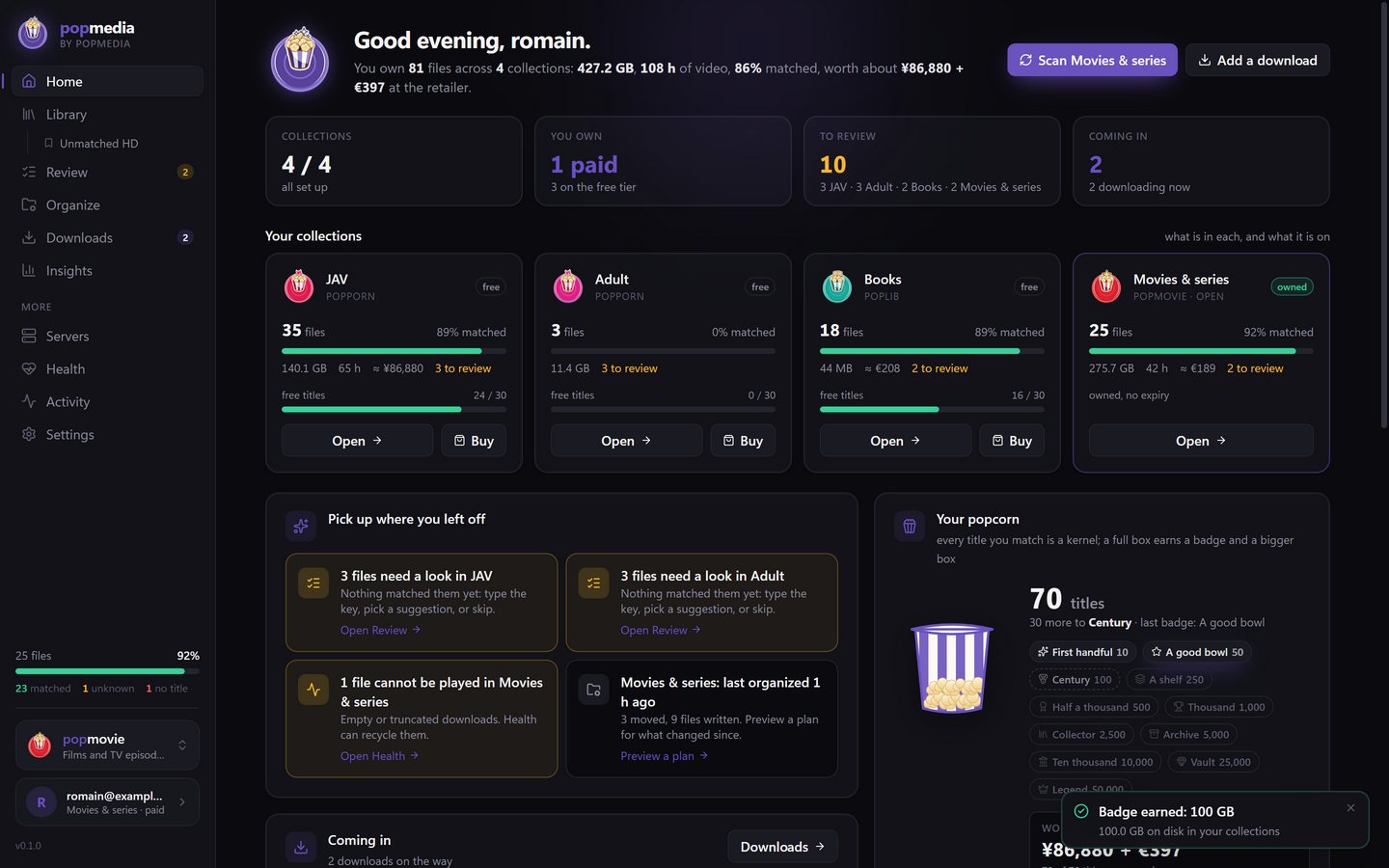
How it works
The scan reads every file: the name, the container, the tracks inside, the metadata in a book. Nothing is moved.
The key in the name is looked up in the right catalogue. Sure matches are filed; doubtful ones wait in Review with the candidates side by side.
New names, new folders, the metadata and artwork to write, all previewed before anything changes on disk.
Every run is journaled. Put it all back with one click. Then Plex, Jellyfin, Emby and Kodi for video; Calibre, Kavita and Komga for books read what it wrote.
Then it keeps the folder that way: new files are noticed and matched, downloads land matched and filed, and the browser extension sends links over from any page.
In the app
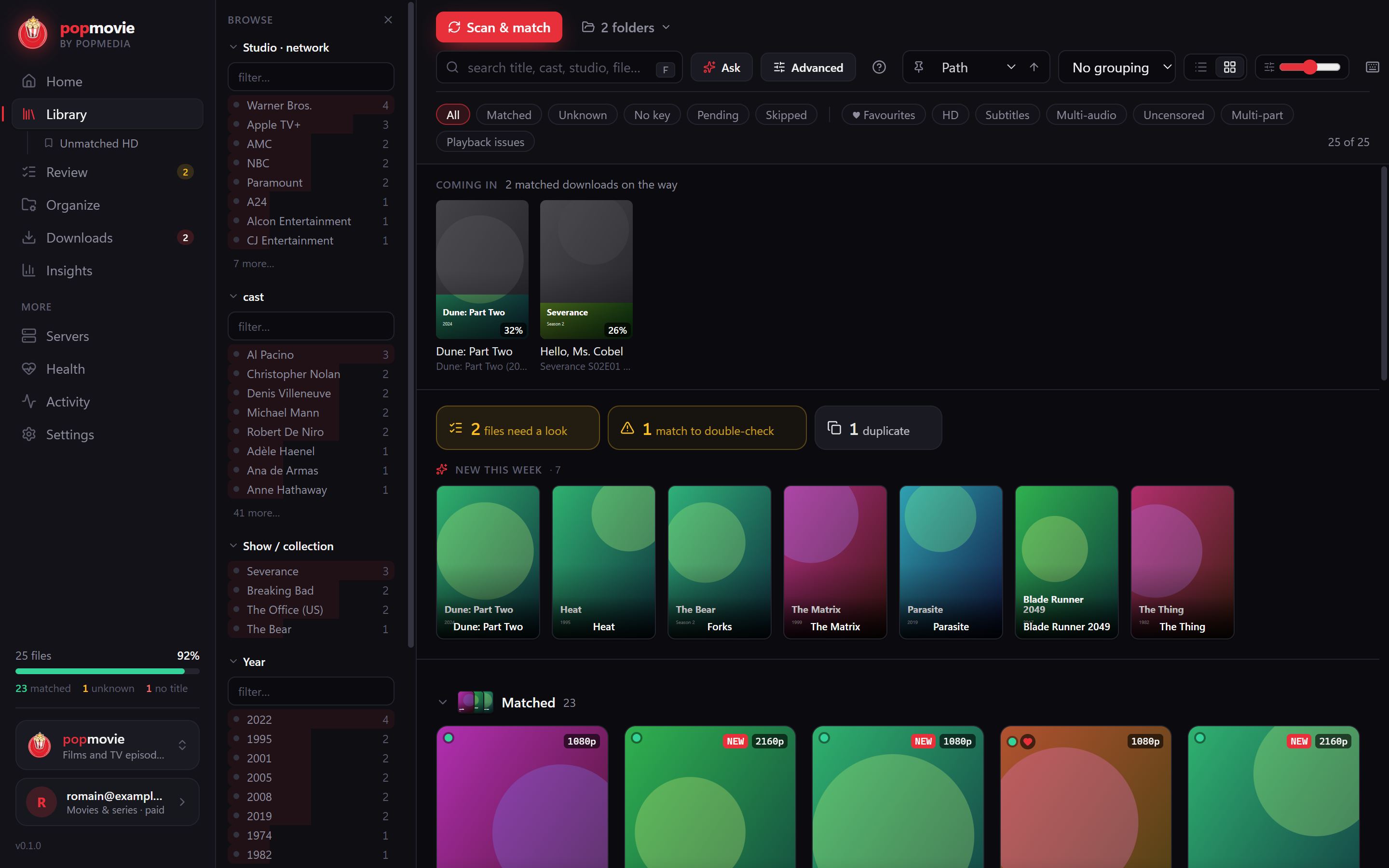
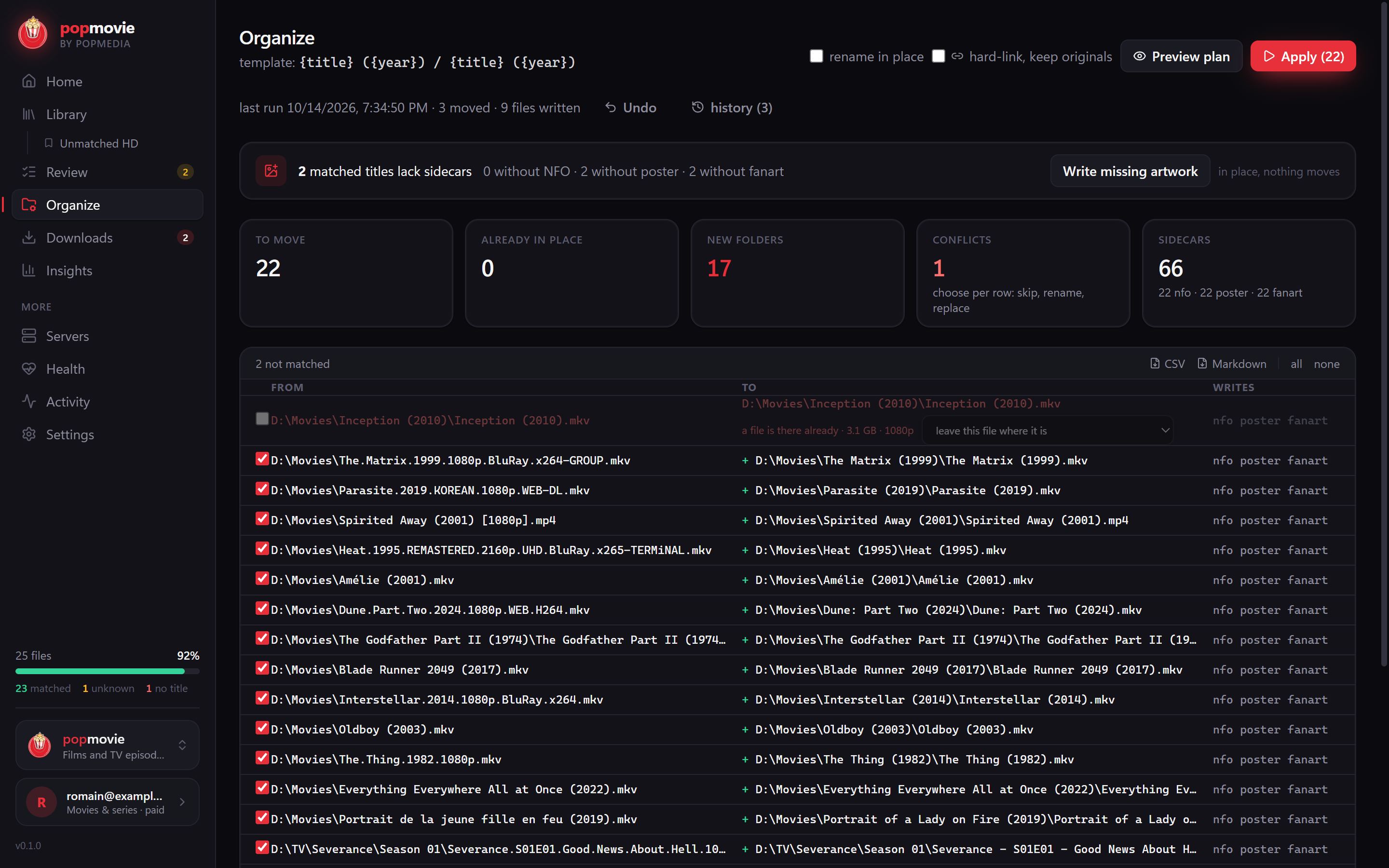
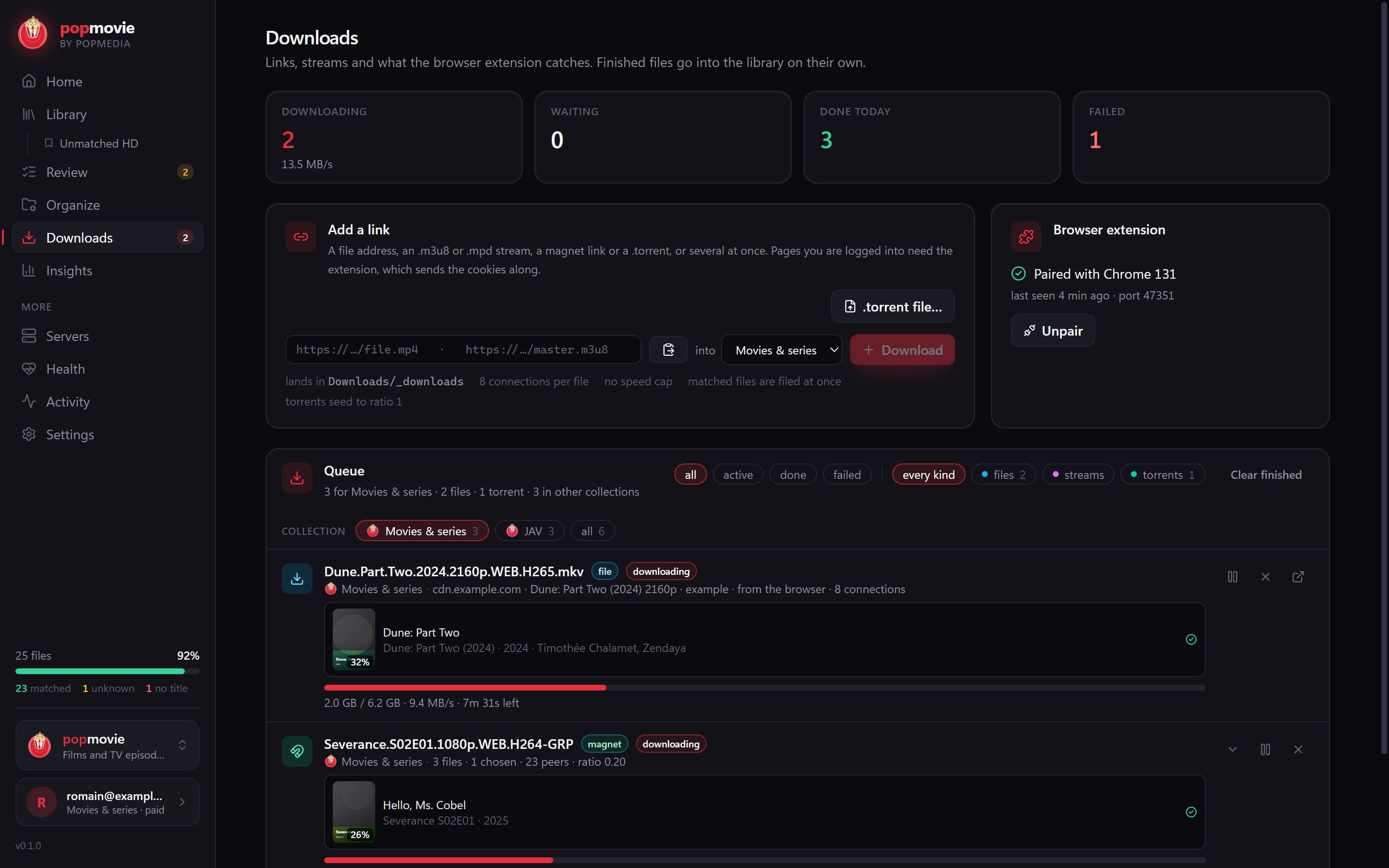
What you get
Resolution, codecs, audio and subtitle tracks from the container itself; EPUB and PDF metadata from inside the book.
Every move is previewed, every run is journaled. Put it all back with one click.
Plex, Jellyfin, Emby and Kodi read what it writes. Movies and series resolve on TMDB with your own key, books on Open Library.
Paste a link, a stream or a magnet. Several connections, resume, a torrent client with no search of its own; finished files are matched and filed on their own.
Catches the download or the stream on the page you are on and hands it to the app with your session, so it works where you are signed in.
Every collection is free for its first 30 titles, forever. Buy a collection when you want more; nothing else changes.
Pricing
Sign in with an email, no card. Each collection is free for its first 30 titles, forever: scanning, matching, organizing, downloads, all of it. Past that, the collection you use needs a plan; the others stay free. One account signs in up to five computers.

Every collection, every app, one account.

Codes matched against a catalogue of hundreds of thousands of titles, covers and NFOs written, insights per performer and studio.

Studio scenes by site and date, matched and filed the same way.

Films and episodes on TMDB with your own key, playback hints, remuxing and subtitles. One purchase, a year of updates.

EPUB, PDF and MOBI identified from the inside, matched on Open Library, written out for Calibre, Kavita and Komga.
Prices in EUR, taxes shown at checkout. Cancel a subscription any time; it runs to the end of the period. A one-time purchase keeps working after its year of updates.
The download is not public yet. Leave your email at the top of the page and you get one message when it is out; the address is used for nothing else.
No. The app runs on your computer. To match a file it sends the key read from the name (a code or a title) to the catalogue and nothing else: not the file, not its path, not your folder.
Everything. Each collection is free for its first 30 titles: scanning, matching, organizing, artwork, downloads, the extension. The count is per collection and never resets, so the free titles stay matched.
What is matched stays matched and keeps working. New titles wait until the collection has a plan. The other collections are not affected.
Not yet. The pricing buttons open a short form; we answer by email within a day with the payment details, and the licence is granted to your email the moment the payment arrives. Sign in with that email in the app and it is unlocked.
Five at a time per account. Signing in on a sixth signs the oldest out; you can also sign a computer out from the app.
Plex, Jellyfin, Emby and Kodi for video; Calibre, Kavita and Komga for books. The app writes the files and sidecars they import; for Plex it can also push metadata and artwork straight into the library.
From the links you give it: a direct link, a stream playlist, a magnet or a .torrent file. The browser extension sends them from the page you are on, with your session, so sites you are signed in to work. There is no search and no catalogue of links.
Windows 10 or later, macOS 12 or later, or Linux as an AppImage. ffmpeg is optional and used for remuxing and stream capture; the app finds it if it is installed.
The family
Each app is the same organizer tuned for one kind of shelf. The bundle unlocks all of them at once.